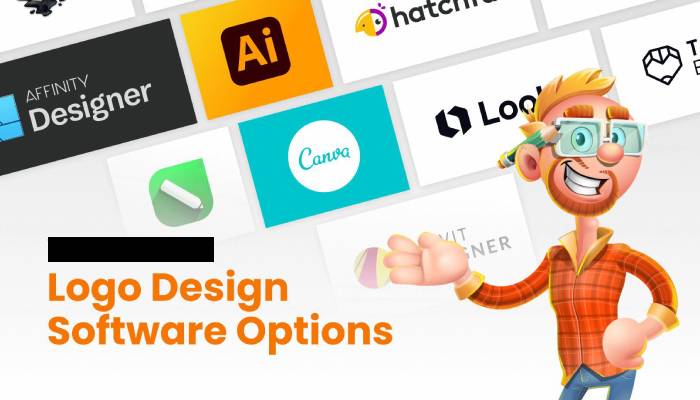
Vector logo designers are software or online tools that allow users to create, edit, and export vector-based logos. Vector logos are made up of mathematical equations and can be scaled to any size without losing quality, making them ideal for use in branding and marketing materials.
Vector logo design software can be a fun and engaging way to pass the time and alleviate boredom, as it allows users to be creative and experiment with different design elements to create unique logos. This software is typically packed with features and tools that can help users create a wide variety of logos, from simple text-based designs to more complex illustrations.
However, it’s important to note that vector logo design can be a technical process, it might require some learning and practice to master the software and create professional-looking logos. It’s not for everyone, so it’s best to try a few different software and see which one you enjoy working with the most.
If you’re new to vector design, it might take a while to understand the tools and features, but once you get the hang of it, it can be a fun and satisfying way to spend your time. There are also many tutorials and online resources available to help you learn how to use the software and improve your design skills.
In summary, vector logo design software can be a great way to kill boredom if you enjoy graphic design and want to create something new, but it’s not the only option, and it’s best to try different activities to see which one you enjoy the most.
Here are a few of the best vector logo designers:
Adobe Illustrator
Adobe Illustrator is a powerful vector graphics software that is widely used by professionals in the graphic design industry. It offers a wide range of tools and features for creating and editing vector graphics, including a variety of brushes, shapes, and text tools. It also has a wide range of export options, allowing you to save and export your logo in a variety of formats.
Inkscape
Inkscape is a free, open-source vector graphics software that is popular among both professionals and hobbyists. It has many of the same features as Adobe Illustrator, including a wide range of brushes and shapes, and it supports a variety of file formats. It also has a user-friendly interface and a large community of users who have created a wealth of tutorials and resources to help new users get started.
Canva
Canva is a web-based design tool that is widely used for creating a variety of design materials, including logos. It has a large library of pre-made templates and design elements, making it easy to create a logo without any design experience. It also offers a variety of export options, so you can easily save and share your logo.
Sketch
Sketch is a vector graphics editor and digital design tool for Mac. It’s widely used by UX and UI designers, and it’s known for its ease of use and efficient workflow. It offers a wide range of vector editing tools, allows collaboration with team members, and it has a large library of plugins and integrations.
CorelDRAW
CorelDRAW is a vector graphics editor that offers a wide range of tools for creating and editing vector graphics, including a variety of brushes, shapes, and text tools. It also has a user-friendly interface and a wide range of export options, so you can save and share your logo in a variety of formats.
These are just a few examples of vector logo designers, and there are many other options available on the market. It’s important to consider your specific needs and budget when choosing a vector logo designer and to research and read reviews of the different options before making a decision.
 Your Talk