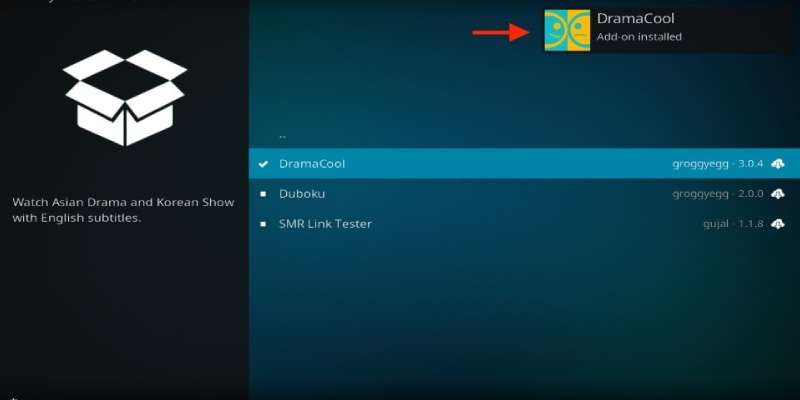
Drama Cool Kodi addon is a popular video addon that allows users to stream Asian dramas, movies, and TV shows. This addon provides a vast collection of Korean dramas, Japanese dramas, Chinese dramas, and other popular Asian content. It is a free addon and can be easily installed on Kodi.
If you are new to Kodi or not familiar with the process of installing addons, don’t worry. In this article, we will guide you through the process of installing Drama Cool Kodi addon step-by-step.
Before we begin, it is important to note that Kodi addons are not official content providers and may not be legal in your country. We recommend using a VPN (Virtual Private Network) service to protect your online privacy and hide your online activity from your ISP (Internet Service Provider).
Now let’s Get Started with the Installation Process.
Step 1: Open Kodi and click on the “Settings” icon on the top left corner of the screen.
Step 2: Select “System” from the options and then click on “Add-ons.”
Step 3: Turn on the “Unknown sources” option to allow the installation of third-party addons.
Step 4: Go back to the Kodi home screen and click on the “Settings” icon again.
Step 5: Click on “File Manager” and then select “Add source.”
Step 6: Enter the following URL in the “None” field: https://dramacool.video
Step 7: Name the media source “Drama Cool” and click on “OK.”
Step 8: Go back to the Kodi home screen and select “Add-ons” from the main menu.
Step 9: Click on the “Package Installer” icon on the top left corner of the screen.
Step 10: Select “Install from zip file” and then select the “Drama Cool” media source that we created in step 7.
Step 11: Click on the zip file named “repository.dramacool-x.x.x.zip” and wait for the installation to complete.
Step 12: After installation, click on “Install from the repository” and select the “Drama Cool Repository.”
Step 13: Click on “Video Add-ons” and then select “Drama Cool.”
Step 14: Click on the “Install” button to install the addon.
Step 15: Wait for the installation to complete and then return to the Kodi home screen.
Congratulations! You have successfully installed Drama Cool Kodi addon. You can now access the vast collection of Asian dramas, movies, and TV shows offered by this addon. To use the addon, simply click on “Add-ons” from the main menu, select “Video Add-ons,” and then click on “Drama Cool.”
Conclusion
Drama Cool Kodi addon is a free video addon that allows users to stream Asian dramas, movies, and TV shows. It is easy to install, but it is important to use a VPN to protect online privacy. Hope this article helps you in installing and knowing about the Drama Cool Kodi addon.
 Your Talk